
This site is misconfigured
The page is trying to reach an AeroVista backend running on someone's own
computer, at -. No analysis can run
until this is fixed.
This usually means frontend/config.js was deployed while it
was still pointed at the local development backend. Fix
API_BASE_URL in that file and deploy the frontend again.
Internal prototype
AeroVista is currently available for controlled internal testing and feedback. Please use the official test URL: https://www.aerovista.io.
- Use only AeroVista input workbooks that follow the input template.
- Do not upload confidential or personal data unless it is needed for the AeroVista analysis.
- If something fails or looks wrong, copy the Run ID and include it with your feedback.
User information
To use this internal AeroVista prototype, please provide this information before running an analysis. These details are stored with the run history so the product owner can understand who used the service and follow up on feedback if needed.
Read data privacy notice
AeroVista collects the information entered on this page so each analysis run can be linked to a user, organization, uploaded workbook, run status, and generated result package.
- Run-history information is stored in Azure Table Storage.
- Uploaded workbooks, progress files, and result ZIP files are stored in Azure Blob Storage.
- The information is used for service operation, support, traceability, and product administration.
- Do not upload personal data inside the Excel workbook unless it is needed for the AeroVista analysis.
- A full legal privacy notice should be reviewed and published before public production use.
The upload and analysis form will appear after the mandatory user information is complete.
User information confirmed
These details will be stored with the AeroVista run-history record.
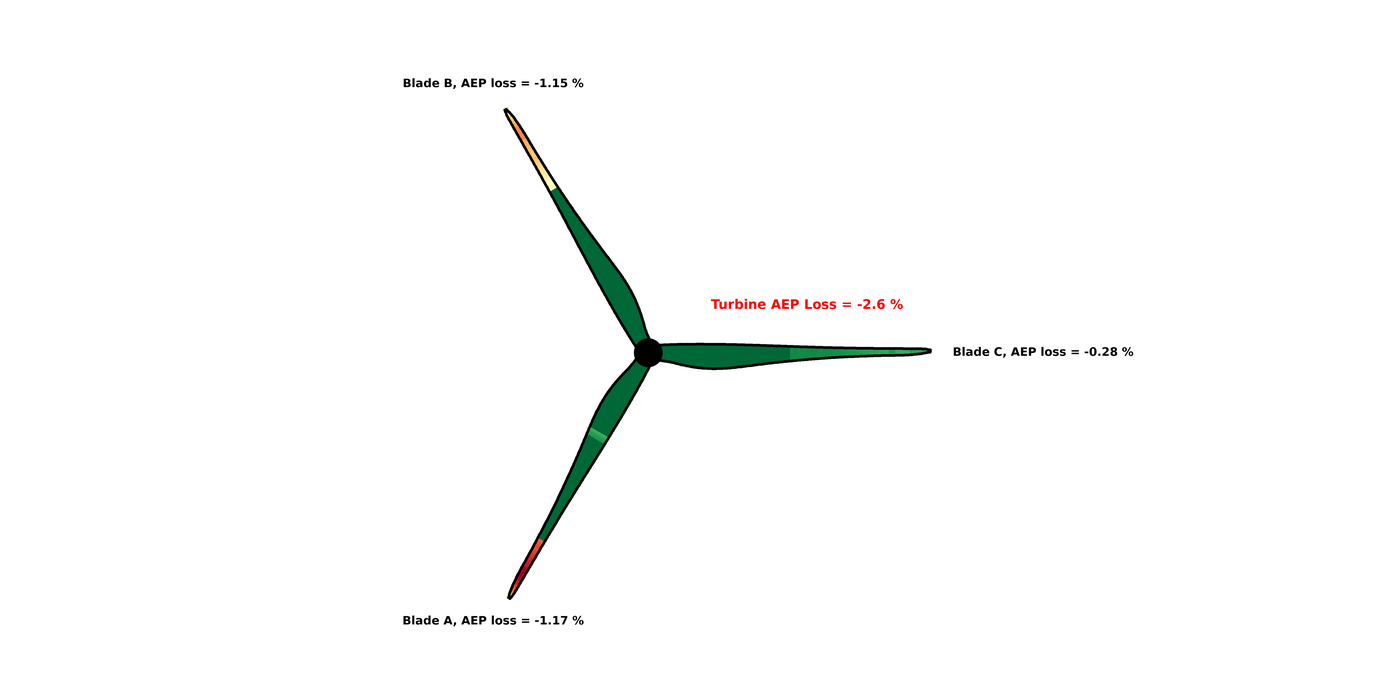
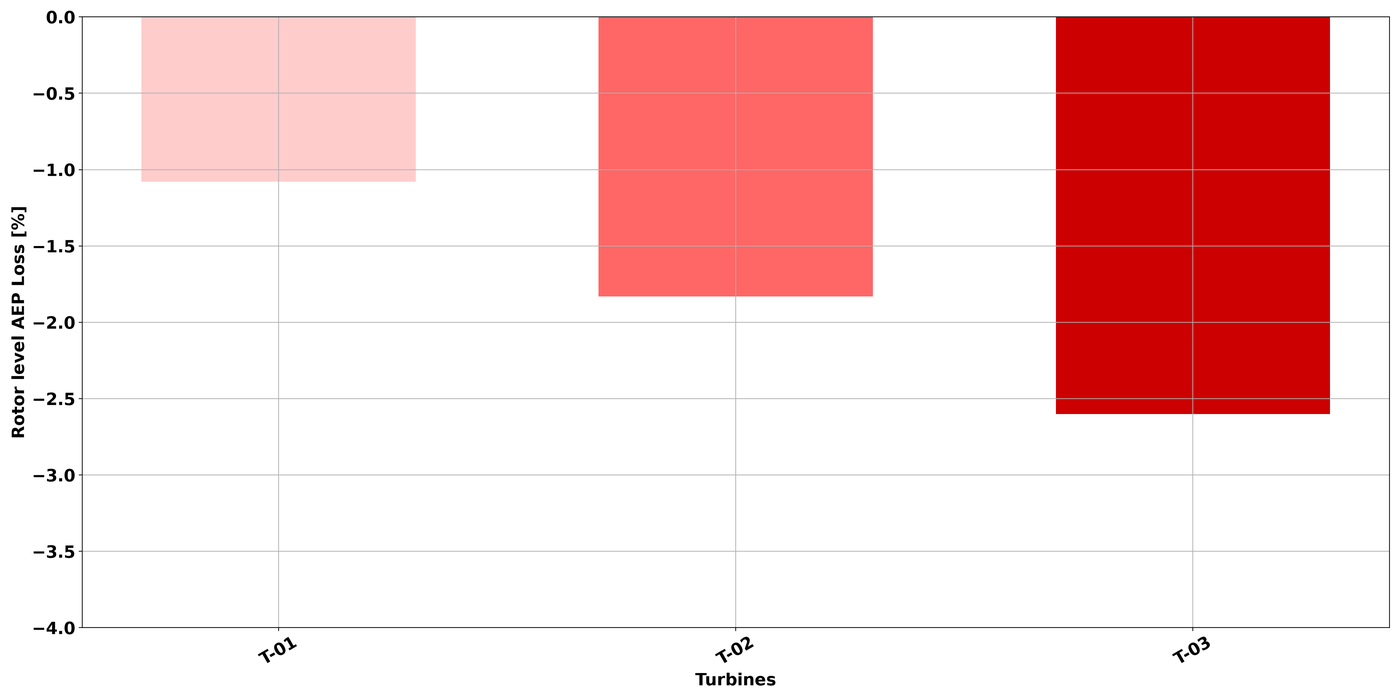
Result
Run outcome
-
Recent runs
Stored only in this browser. Download links will expire in 24 hours.
No recent runs stored in this browser yet.